CVE-2022-0492: the four-year-old kernel bug that’s still breaking out of containers
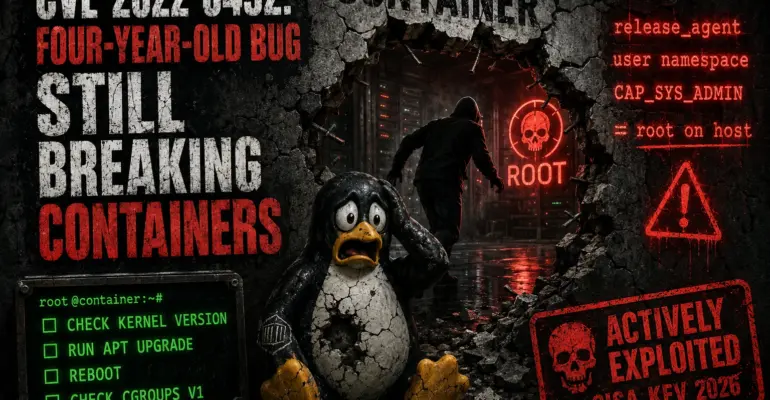
CVE-2022-0492: the four-year-old kernel bug that’s still breaking out of containers
 sysadmin
 Picture this: you’ve deployed WordPress in Docker, put nginx in front as a reverse proxy, locked everything down with nftables. The container is isolated — what could go wrong? An attacker finds a vulnerable plugin, gets a shell inside the container, and within seconds they’re root on the host. Not because they broke Docker. Because your server’s kernel carries CVE-2022-0492 — a bug patched back in 2022 that CISA added to the Known Exploited Vulnerabilities catalog on June 2, 2026. Added it because people are actively exploiting it right now. On servers just like yours.
WHAT HAPPENED
CVE-2022-0492 is a vulnerability in the cgroup_release_agent_write function inside kernel/cgroup/cgroup-v1.c. CVSS 7.8 (High), CWE-862 (Missing Authorization). It was discovered by Yiqi Sun and Kevin Wang from Huawei and disclosed in February 2022. The patch landed the same month, in kernel 5.17-rc3. Story over, right? That was four years ago.
Then on June 2, 2026, CISA added CVE-2022-0492 to the KEV catalog with a remediation deadline of June 5 for federal agencies. A KEV listing means confirmed active exploitation in real attacks. Four years after the patch — and the bug is still working on unpatched systems. The reason is straightforward: legacy servers with no kernel update process, embedded devices running frozen kernels, and container hosts where teams kept their containers updated but never touched the host kernel.
WHAT ARE CGROUPS V1 AND RELEASE_AGENT
Control groups (cgroups) are a Linux kernel mechanism for limiting and tracking resource usage — CPU, memory, network — for a group of processes. Every container runtime is built on top of cgroups: Docker, Kubernetes, and LXC all use them for isolation. There are two versions: cgroups v1 (the older architecture, still widely deployed) and cgroups v2 (a unified hierarchy introduced later). CVE-2022-0492 only affects v1.
In cgroups v1, there’s a feature called release_agent — a file where an administrator can write the path to a program. The kernel runs that program automatically whenever a cgroup becomes empty, meaning all its processes have exited. It runs as root, outside any namespace restrictions. The feature exists for legitimate cleanup automation. Think of it as a janitor with a master key: they come in after everyone leaves and handle the tidying up. The problem is who gets to leave instructions for the janitor.
HOW THE BUG WORKS
The flaw is a missing privilege check when writing to the release_agent file. Before the patch, the kernel didn’t verify that the process writing a path to release_agent actually held CAP_SYS_ADMIN in the host (initial) namespace. That’s CWE-862 in a nutshell: the authorization check simply wasn’t there.
The exploitation path runs through user namespaces. Linux allows an unprivileged process to create a new user namespace using unshare, gaining CAP_SYS_ADMIN — but only inside that namespace. From there, the process mounts cgroupfs within the new namespace and writes an arbitrary script path to release_agent. The kernel doesn’t check whether CAP_SYS_ADMIN was granted inside a container namespace rather than the host namespace. When the cgroup empties, the kernel runs the script as root on the host.
HOW IT IS EXPLOITED
An attacker with a shell inside a container follows this sequence. A new user namespace is created — the unprivileged process gets CAP_SYS_ADMIN inside it, but nowhere else. cgroupfs is mounted, a child cgroup is created, and the path to a backdoor script is written into the root cgroup’s release_agent file. notify_on_release is enabled for the child cgroup, a process inside it exits — the cgroup empties, the kernel calls release_agent. The script runs as root in the host context, bypassing all the namespace boundaries the container was relying on.
One important detail: exploiting via user namespaces doesn’t require being root inside the container. An unprivileged user is enough — as long as user namespaces are enabled on the host, which they are by default on Ubuntu, Debian, and most major distributions. For a root process inside the container, like nginx running as root, the bar is even lower.
WHAT HAPPENS NEXT — DEPENDS ON CONFIGURATION
The outcome depends on how hardened your container environment is. If containers run with AppArmor, SELinux in enforcing mode, or a Seccomp profile, those controls block the necessary syscalls — mounting cgroupfs, calling unshare — before the attack can progress. Docker applies a default seccomp profile that restricts these operations in theory, but only if you haven’t launched the container with --privileged, --security-opt seccomp=unconfined, or --cap-add SYS_ADMIN.
If a container runs without those protections — or with weakened profiles, which is common in CI/CD pipelines, dev environments, and quick deployments — exploitation succeeds and leads to full host compromise. In a Kubernetes environment, an attacker who takes over a single pod on a node running cgroups v1 can compromise every other pod on that node and pivot from there.
REAL-WORLD ATTACK CHAIN
Here’s the scenario being actively exploited right now: a WordPress site runs inside a Docker container. The attacker finds a vulnerable plugin — an RCE or file upload flaw — and gets a shell as www-data inside the container. The host runs Ubuntu 20.04 with a kernel that hasn’t been updated since installation two years ago. cgroups v1 is active, AppArmor isn’t configured for containers, Seccomp is at defaults. Via CVE-2022-0492 the attacker has root on the host within seconds, reads /etc/shadow, installs an SSH backdoor, and has persistent access to the server. Meanwhile the container keeps running — nothing visibly broke, no alerts fired.
TIMELINE
November 2021 — the Aqua Security Team Nautilus researchers document the first real-world exploitation of the container escape technique via release_agent in the wild. No CVE yet, no patch yet — just a quietly working exploit appearing in actual attacks. February 4, 2022 — Linux discloses CVE-2022-0492, the patch lands in kernel 5.17-rc3. March 2022 — Ubuntu, Red Hat, and Debian ship updated kernels. Did everyone update? No. June 2, 2026 — CISA adds CVE-2022-0492 to the KEV catalog with a June 5 deadline for US federal agencies. Four years after the patch. The attacks are still running. This isn’t an anomaly — it’s the standard outcome for systems that skip kernel updates.
HOW THIS SURVIVED 4+ YEARS
The vulnerability lived in the kernel from the moment user namespaces became available — functionality introduced in Linux 3.8 in 2013. Nearly ten years. The release_agent escape technique was well known in the security community long before 2022: in July 2019, Google Project Zero researcher Felix Wilhelm published a proof-of-concept container escape using this exact feature against privileged containers. Everyone knew that release_agent runs as root. The assumption was that writing to it required CAP_SYS_ADMIN in the host namespace. Nobody checked whether the code actually enforced that.
The fix was a single line. One call to ns_capable(ns, CAP_SYS_ADMIN) in the right place — commit 24f6008564183aa120d07c03d9289519c2fe02af in Torvalds’ tree. A decade of vulnerability, one line to close it. Palo Alto Unit 42 called it “one of the simplest Linux privilege escalations discovered in recent times” — and that’s not a compliment to the kernel developers. It’s a reminder that the most dangerous bugs often look like boring logic mistakes.
WHY THIS STILL MATTERS
A 2022 CVE showing up in the KEV catalog in 2026 is a signal about scale. The attack vector is local, but in a container context “local” means “got a shell in any container on the host.” And getting a shell inside a web container through a vulnerable WordPress plugin is hardly advanced work anymore. The real threat model looks like this: CVE in a plugin → RCE inside the container → CVE-2022-0492 → root on the host → full control over every container and all data on the machine.
Container hosts where teams update applications but never touch the host kernel are especially exposed. Docker images get rebuilt on a regular schedule; running apt upgrade on the host followed by a reboot happens once a year at best — if it happens at all. Those are the systems under attack right now.
HOW TO PREVENT THIS GOING FORWARD
The core lesson of CVE-2022-0492 is uncomfortable: kernel hardening and container hardening are two separate layers, and both need their own patching process. Images get rebuilt through a pipeline; the host kernel quietly falls behind. Those hosts are the ones being targeted.
Set up automatic kernel updates. On Ubuntu, unattended-upgrades is likely already installed, but automatic security updates with reboots need to be explicitly enabled:
sudo dpkg-reconfigure -plow unattended-upgradesThe command opens an interactive dialog — select “Yes”. To allow automatic reboots (for example, at 02:00), add these lines to /etc/apt/apt.conf.d/50unattended-upgrades:
Unattended-Upgrade::Automatic-Reboot "true";
Unattended-Upgrade::Automatic-Reboot-Time "02:00";
On RHEL-based systems, the equivalent is dnf-automatic. Install the package and enable the timer:
sudo dnf install -y dnf-automatic
sudo systemctl enable --now dnf-automatic.timer
Subscribe to the CISA KEV feed — when a CVE lands there, it’s no longer “we should probably update at some point.” It means active exploitation is happening right now. And as a longer-term goal: migrating to cgroups v2 eliminates the release_agent mechanism entirely, removing this whole class of attack from the picture.
UPDATE
Start by checking the kernel version and cgroup status on the host. Run uname -r to see what’s currently running. Ubuntu 22.04 LTS (jammy) and Ubuntu 24.04 LTS (noble) aren’t affected — they shipped with patched kernels from day one. On Ubuntu 20.04 LTS (focal), the fix is in kernel 5.4.0-105-generic (March 2022): anything older is vulnerable. On Ubuntu 18.04 LTS (bionic), the fix landed in 4.15.0-173-generic.
uname -rTo check whether you’re running cgroups v1 or v2, run the command below. On cgroups v1 you’ll see multiple separate directories — cpu, memory, devices, blkio, and so on — one per subsystem. On cgroups v2, you’ll see a unified hierarchy: either a single unified directory or files like cgroup.controllers directly in the root. If it’s v2, this vulnerability doesn’t apply.
ls /sys/fs/cgroup/To update the kernel on Ubuntu/Debian:
sudo apt update && sudo apt upgrade -y
sudo reboot
On RHEL/AlmaLinux/Rocky Linux:
sudo dnf clean metadata && sudo dnf upgrade -y kernel
sudo reboot
After rebooting, run uname -r again to confirm the new kernel is loaded. Updating the kernel without rebooting does nothing — the old kernel stays in memory until the system restarts.
To check whether a specific Docker container is actually exploitable, Unit 42 (Palo Alto Networks) published a CVE-2022-0492-Checker script on GitHub. It tests whether the container can mount cgroupfs and write to release_agent, and gives you a clear yes or no. If a kernel update isn’t immediately possible, make sure containers run with AppArmor or SELinux in enforcing mode, and that none of them use --privileged or --security-opt seccomp=unconfined.
CONCLUSIONS
CVE-2022-0492 is a good illustration of why “the patch is out” doesn’t mean “you’re protected.” An old CVE landing in the CISA KEV catalog isn’t news about a new vulnerability. It’s news that the old one is being actively exploited on unpatched systems right now. If you have container hosts running a pre-2022 kernel with cgroups v1, check and update today. Run uname -r, run apt upgrade, reboot — three steps that close a real attack vector.

If you enjoyed the article, you can support the author.