How Attackers Compromised 95 Red Hat Cloud Services Packages
How Attackers Compromised 95 Red Hat Cloud Services Packages
 sysadmin
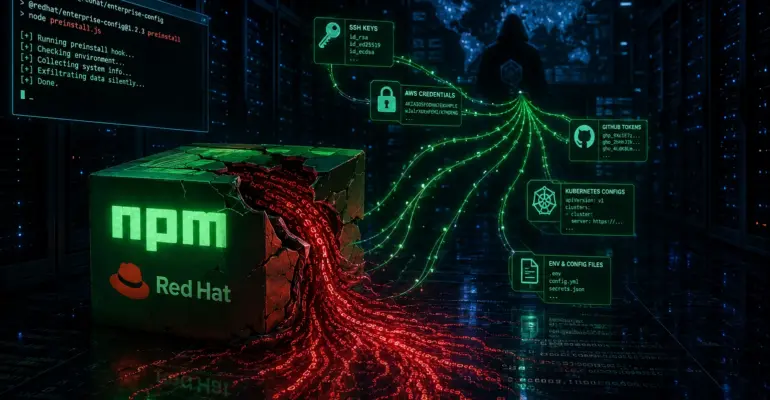
 Picture this: your CI/CD pipeline kicks off a routine dependency install. Nothing unusual — just npm install before the build. At that moment, before a single line of your own code has had a chance to run, a malicious loader has already collected SSH keys, GitHub Actions tokens, AWS, Azure, and GCP credentials, Vault secrets, and Kubernetes config — and sent it all as an encrypted bundle to a remote server.
On June 1, 2026, the Socket team detected an attack targeting the @redhat-cloud-services namespace on npm. According to Socket, 95 packages were affected: chrome, frontend-components, insights-client, rbac-client, host-inventory-client, compliance-client, notifications-client, and dozens of others. All compromised versions were published within a single day.
The attack has been classified as a “mini Shai-Hulud” campaign: the same mechanics of install-time execution, credential harvesting, CI/CD targeting, encrypted exfiltration, and potential propagation through downstream repositories. Socket doesn’t attribute the attack to any specific group — TeamPCP’s public release of the Shai-Hulud tooling lowered the barrier to entry enough that similar operations are now within reach of a much broader range of actors.
HOW THE ATTACK WORKS
The technique is both elegant and disturbing. The malware lives in the preinstall hook of package.json: the field "preinstall": "node index.js" causes npm to execute the loader automatically during installation — before the package is ever imported or called. The package hasn’t even been imported yet, and the code has already run.
index.js itself is a multi-layered obfuscated loader. First layer: a char-code array with a Caesar/ROT-style transform and eval. Once decoded, an async wrapper uses the Node crypto API to decrypt two AES-128-GCM-encrypted payload blobs — one containing a Bun helper, the other the main payload. The keys are hardcoded as hex strings and hidden behind multiple layers of obfuscation; they’re not visible in a surface-level analysis, though that’s exactly how Socket’s researchers recovered them.
The decrypted payload is written to a temp file named something like /tmp/p<random>.js, executed via Bun, and immediately deleted. If Bun isn’t installed, the loader downloads it from GitHub (bun-v1.3.13) via curl, silently, in the background. On developer workstations, the payload also daemonizes: it detaches from the parent process via child_process.spawn with detached: true and keeps running after the install completes. A lock file named tmp.0987654321.lock prevents duplicate instances.
One noteworthy detail: the payload checks for a Russian system locale via Intl.DateTimeFormat().resolvedOptions().locale and the environment variables LC_ALL, LC_MESSAGES, LANGUAGE, LANG. On systems with a Russian locale, the malware’s behavior changes — Socket doesn’t specify why this check exists; possible reasons range from victim filtering to sandbox evasion.
WHAT GETS COLLECTED AND HOW IT LEAVES
The operators knew exactly what they were after. First, gh auth token runs — and the GitHub CLI token leaves along with the full process.env. In a CI pipeline, environment variables aren’t just build settings; they’re a complete inventory of everything an attacker needs: GITHUB_TOKEN, NPM_TOKEN, AWS_ACCESS_KEY_ID, VAULT_TOKEN, KUBECONFIG, and several dozen more keys that DevOps teams have been carefully stashing in GitHub Secrets for years.
At the same time, a file scanner walks a hardcoded list of paths. It knows exactly where to look: ~/.aws/credentials, ~/.ssh/id_rsa, ~/.kube/config, ~/.docker/config.json, Azure and GCP cloud tokens, .env files right in the project working directory. Developers have kept these files on local machines for years without thinking that one day npm install would read them. The payload also targets ~/.bitcoin/wallet.dat, suggesting the operators were interested in far more than CI/CD credentials.
A dedicated module targets GitHub Actions specifically. It checks for GITHUB_ACTIONS=true, identifies a Linux runner, and attempts to pull tokens directly from process memory via sudo python3. A GitHub Actions runner is an ideal target: it holds deployment tokens, cloud provider keys, and package registry publishing rights in memory all at once. One infected npm install in a pipeline — and the attacker potentially gets everything the process has access to: environment secrets, credential files, tokens from runner memory.
Exfiltration has a fallback channel built in. Primary path: data is gzip-compressed, encrypted with AES-256-GCM using an ephemeral key, that key is wrapped with RSA-OAEP using the attacker’s public key, and sent via HTTPS POST. If the primary channel is unavailable, the payload switches to the backup: given a working GitHub token, it commits encrypted results to repositories via the Contents API. The commit message includes the string IfYouInvalidateThisTokenItWillNukeTheComputerOfTheOwner:<token> — simultaneously a unique IoC for threat hunters and a direct warning not to touch the compromised token. Elegant and cynical.
Finally — self-propagation. Given sufficient permissions, the payload modifies .github/workflows/codeql.yml, adds .github/setup.js, and writes a malicious index.js into the victim’s repositories. The next developer who clones that repository and runs npm install becomes the next collection point. This attack wasn’t designed as a one-time theft — it’s a chain that expands on its own.
TIMELINE
On June 1, 2026, compromised versions of 95 @redhat-cloud-services packages appeared on npm. The fact that all versions were published within a single day points to a coordinated release — not a gradual infiltration. Aikido researchers consider the most likely vector to be a compromise of the GitHub Actions OIDC trusted publishing mechanism, rather than a direct npm account takeover. The attackers were clearly in a hurry: the longer the packages sit undetected in the registry, the more systems install them.
That same day, June 1, the Socket team flagged the anomaly through behavioral analysis. This is the key point: the attack was caught not by a known malware signature, not through a CVE database, and not from victim reports — but because the packages weren’t behaving the way legitimate components should. A preinstall hook running node index.js, obfuscation, encrypted embedded blobs, network calls during installation — enough to raise a red flag automatically.
On June 2, 2026, Socket published a full technical breakdown with deobfuscated code, IoCs, hashes, and recommendations. The window between the malicious packages being published and public disclosure was under 24 hours — fast by supply chain attack standards, though even within that window, any system that ran npm install with the affected packages had already been exposed.
Socket describes the connection to Shai-Hulud as tactical similarity, not direct attribution. The key TTPs match: install-time execution via preinstall, AES-GCM payload encryption, dual exfiltration channels through HTTPS and GitHub API, CI/CD secret targeting, and repository modification logic for lateral propagation. After TeamPCP released the Shai-Hulud tooling publicly as part of a BreachForums contest, any group with minimal technical background can replicate a similar operation. The barrier to entry for these attacks has dropped significantly.
WHY IT MATTERS
Classic IoC models are built to detect known malicious domains, hashes, and signatures. Supply chain attacks bypass them at the architectural level: the malware arrives from a trusted source, gets published through a legitimate vendor account, and is installed by a standard tool. The @redhat-cloud-services namespace isn’t a random target — these are official Red Hat components that are implicitly trusted in any security policy written without paranoid allowlisting.
The damage is especially severe in CI/CD environments. A GitHub Actions build runner is a secret aggregator: it holds deployment tokens, cloud provider keys, container registry credentials, and Vault tokens in memory simultaneously. One npm install with an infected package in that environment is a potential leak of everything the process has access to and everything an attacker needs to move forward. No code vulnerability needs to be exploited — being in the dependency list is enough.
Daemonization on developer workstations adds another dimension: even if CI is locked down, a developer who runs npm install locally becomes an entry point. The background process keeps running after the install finishes, scans the filesystem, reads ~/.ssh, ~/.aws, local .env files. Deleting node_modules won’t stop it.
WHAT TO DO IF YOU’VE ALREADY INSTALLED IT
First step — determine exposure. Check package-lock.json, npm-shrinkwrap.json, yarn.lock, pnpm-lock.yaml for any @redhat-cloud-services packages with versions published on June 1, 2026. Review historical CI/CD logs for that period — especially any builds that ran npm install.
If a compromised version was installed, the system should be treated as potentially compromised and handled as an incident: the presence of the version in the lockfile means the malicious code may have executed at install time. Deleting node_modules doesn’t help — the malware already ran during installation, may have launched a background process, and may have modified config files. On developer workstations, isolate the host before doing anything else. Check for execution traces:
# Payload artifacts in temp directories
ls /tmp/p*.js 2>/dev/null
ls /tmp/b-* 2>/dev/null
ls /tmp/tmp.0987654321.lock 2>/dev/null

# Live malware processes
ps aux | grep -E "bun|node index"

# Changes to CI/CD configs
git log --all --oneline -- .github/workflows/ .github/setup.js
Credential rotation is mandatory for any system where the compromised packages were installed. Rotate: GitHub tokens (fine-grained PAT and classic PAT), npm publish tokens, AWS keys (Access Key ID + Secret), Azure service principals, GCP service accounts, Vault tokens, Kubernetes service account tokens, Docker registry credentials, SSH keys from ~/.ssh/, PyPI tokens. For GitHub Actions — rotate all repository and organization secrets, and review OIDC federation for any illegitimate trust relationships.
After rotation — audit activity. In GitHub: new repositories, unexpected branches, changes to .github/workflows/, commits containing files like results-*.json or the string IfYouInvalidateThisTokenItWillNukeTheComputerOfTheOwner. In npm: unexpected package versions, publications from automation tokens without corresponding repository releases. Rebuild any CI/CD artifacts and container images produced during the exposure window from a clean environment.
HOW TO PROTECT YOURSELF
The important thing to understand upfront: this attack doesn’t exploit a code vulnerability. It exploits trust — trust in an official namespace, in a familiar tool, in the assumption that npm install just installs a package and nothing else. The defenses aren’t about a patch; they’re about architectural decisions that break the attack’s mechanics at the root.
First and most direct — disable lifecycle scripts during dependency installation. The --ignore-scripts flag prevents execution of preinstall, postinstall, and other hooks. This mechanism exists in npm for convenience — native modules can compile automatically. But the same convenience gives an attacker the ability to run arbitrary code on your machine at install time. It’s better to explicitly allow specific packages to run scripts than to silently trust the entire registry:
# Install without lifecycle scripts — no preinstall will execute
npm install --ignore-scripts

# Lock it in for the whole project via .npmrc
echo "ignore-scripts=true" >> .npmrc

# yarn supports the same flag
yarn install --ignore-scripts
Second — use npm ci instead of npm install in pipelines. The difference matters: npm install can update package versions within semver ranges, while npm ci installs exactly what’s locked in the lockfile and fails on any discrepancy. The lockfile itself should be committed to the repository and treated as a trusted artifact, not a generated file you can recreate at any time. This doesn’t protect against a compromise of an already-locked version — as in this case — but it does rule out silent upgrades to a compromised version at build time.
Third — network isolation for CI runners, and this is probably the most underrated control. Ask yourself: why does npm install need access to 169.254.169.254? Or to secretmanager.googleapis.com? Or to api.github.com with non-standard paths? There’s no legitimate reason. The egress policy for runners should allow only registry.npmjs.org and an internal npm proxy — block everything else. Any unexpected outbound request during a dependency install is an alert that needs immediate investigation.
Fourth — minimize secrets in the build environment. The payload reads process.env in full and gets everything that’s been put there. Deployment secrets don’t need to be present at the dependency installation step. Break workflows into isolated jobs where each one gets only what it actually needs. In GitHub Actions, this is handled with explicit permissions at the job level:
# Minimal permissions at the workflow level by default
permissions:
  contents: read

# Expanded only where actually needed
jobs:
  deploy:
    permissions:
      contents: write
      packages: write
Fifth — don’t treat an official namespace as a security guarantee. Behind @redhat-cloud-services, @angular, @aws-sdk, there’s always an account or publishing pipeline that can be compromised. Socket caught this attack not from a signature, but because the package wasn’t behaving the way a legitimate component should: a preinstall hook, obfuscation, encrypted embedded blobs, network calls at install time. Integrating a behavioral analysis tool into PR checks creates a barrier before a compromised version ever makes it into the lockfile and spreads across the entire team.
INDICATORS OF COMPROMISE
Network IoCs from the Socket report:
# Primary exfiltration channel (decoded from payload)
https://api.anthropic[.]com:443/v1/api

# Detection signals (legitimate services, access in unexpected context)
https://api.github[.]com
https://github[.]com/oven-sh/bun/releases/download/bun-v1.3.13/
https://registry.npmjs[.]org/-/npm/v1/tokens

# Cloud metadata endpoints
http://169.254.169.254/latest/meta-data/iam/security-credentials/
https://secretmanager.googleapis[.]com
https://vault.azure[.]net
Host-based IoCs:
# Files and patterns
/tmp/p*.js
/tmp/b-*/bun
/tmp/b-*/b.zip
tmp.0987654321.lock

# Code strings
f4abccab2
thebeautifulmarchoftime
IfYouInvalidateThisTokenItWillNukeTheComputerOfTheOwner
Miasma: The Spreading Blight
createDecipheriv("aes-128-gcm"
"preinstall":"node index.js"

# SHA-256 of compromised index.js
21b6409a7b84446310daca5409ad6112ac60a1e4bef97736e53fff5f63bfdef4
Token patterns to search for in logs and files:
gh[op]_[A-Za-z0-9]{36,}
npm_[A-Za-z0-9]{36,}
ghs_[A-Za-z0-9]{36,}
CONCLUSIONS
The @redhat-cloud-services attack is another reminder that in 2026, the security perimeter runs not along the edge of your infrastructure, but along the edge of your trust in dependencies. An official namespace from a major vendor doesn’t equal a secure namespace. Compromise an upstream account or publishing pipeline — and, according to Socket, 95 packages become a weapon simultaneously.
If you use @redhat-cloud-services packages in any project or CI/CD pipeline — check your lockfile right now for versions from June 1, 2026. If you find them — treat the system as potentially compromised and start rotating credentials. If you don’t — this is a good moment to put processes in place that will catch the next similar attack before it has a chance to execute.
Socket maintains a full list of affected packages and versions on their campaign page: socket.dev/supply-chain-attacks/red-hat-cloud-services-package-compromise

If you enjoyed the article, you can support the author.