Two requests to own a Joomla site: CVE-2026-48907 in JCE and how to check your server right now
Two requests to own a Joomla site: CVE-2026-48907 in JCE and how to check your server right now
 sysadmin
 Your Joomla site has no public registration. No forum, no user accounts — visitors just read. You reasonably assume there’s nothing to break into: no login means no threat. Then on June 3, 2026, the developer of the most-installed WYSIWYG editor for Joomla pushed an emergency patch described as “critical vulnerability in all earlier versions” — and it turned out that sites with no registration were exactly what got hit. Not because they were targeted specifically. Because a botnet is methodically scanning the entire internet and dropping a webshell on every Joomla site running a vulnerable version of JCE — with no authentication required, in two HTTP requests.
CVE-2026-48907 is an Improper Access Control vulnerability in JCE (Joomla Content Editor), the most-installed extension in the Joomla ecosystem. All versions prior to 2.9.99.5 are affected. The patch shipped June 3, 2026. A working exploit was posted to GitHub on June 9. On June 16, CISA added CVE-2026-48907 to its Known Exploited Vulnerabilities catalog — the US government’s confirmation that real-world attacks are underway, issued only when there is verified evidence. If you’re running Joomla with JCE, keep reading. Quickly.
WHAT IS JCE AND WHY THIS MATTERS
JCE stands for Joomla Content Editor — a visual editor that replaces Joomla’s default text editor with a full-featured WYSIWYG supporting images, files, tables, and embedded media. According to mysites.guru, it is the single most-installed extension in the Joomla ecosystem — not “one of the popular ones,” the most popular, full stop. The developer is Widget Factory Limited, a small independent team led by Ryan Demmer that has maintained JCE for over fifteen years. The vulnerability was reported by Uwe Flottemesch of fc-hosting.de, with technical assistance from David Jardin in developing the fix.
The core concept in JCE is editor profiles. A profile defines what a particular user group can do in the editor: which file types they can upload, which directories they can write to, which extensions are allowed. Authors might only get JPG and PNG into the images folder; administrators get everything. That’s a sound access control design. The problem was that the profile import mechanism was accessible without any authentication.
HOW THE VULNERABILITY WORKS
JCE has a profile import task: a POST request to index.php?option=com_jce&task=profiles.import. The intention was that this endpoint would only be reachable by an authenticated administrator — to migrate editor settings between sites or restore profiles from a backup. In practice, prior to 2.9.99.5, there was no authorization check at all. Any HTTP client could POST to that URL and Joomla would dutifully create a new editor profile.
That alone is enough for the attack. The attacker creates a profile that permits uploading files with a .php extension, with MIME validation switched off. Then, through JCE’s legitimate file upload function — which now applies the rogue profile — they upload a PHP webshell to the server. The whole process: two HTTP requests, zero clicks, zero credentials.
HOW IT IS EXPLOITED
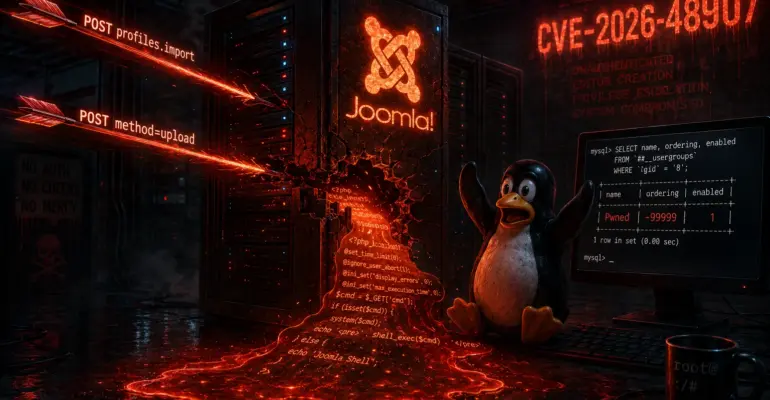
The botnet follows the same playbook every time — mysites.guru observed an identical fingerprint across hundreds of compromised sites. First request: a POST to index.php?option=com_jce&task=profiles.import creates the rogue profile. The profile gets a machine-generated name like J940401 or J938560, sometimes bluntly labeled Pwned with a description of RCE via JCE. Its ordering is set to -99999 — pinning it above all legitimate profiles so it takes effect on subsequent requests. The profile enables php and phtml file extensions with MIME validation off.
Second request: a POST through JCE’s file upload function — now running under the rogue profile — drops the webshell. When no upload path is set in the profile, the default destination is the images/ folder, from where it can be called directly through a browser. Webshells found on compromised sites by mysites.guru include classic eval(gzinflate(base64_decode(...))) payloads, shell_exec command shells, small marker files named Nxploited, and .xml.php droppers. In the web server access logs, the attack leaves a two-request signature: a POST to task=profiles.import immediately followed by a POST to method=upload, both returning 200, both unauthenticated, often carrying an id=RCExxx marker.
Everything above is an automated botnet, not a targeted attack. Site size, the presence or absence of user registration, traffic volume — none of it matters. Every reachable Joomla installation gets scanned.
HOW TO CHECK YOUR SERVER
Start with the web server logs. Look for POST requests to the profile import endpoint with no authentication. On nginx you’ll find them in access.log — the quickest check:
grep "profiles.import" /var/log/nginx/access.logOn Apache, swap the path for /var/log/apache2/access.log. If your logs are in a non-standard location, check your virtual host config. Any match in the output means either a successful attack or an attempt. The earliest matching entry shows when the site was first reached — that’s the date to go back to when choosing a backup to restore from. Worth noting: many hosts rotate logs after a few weeks, so the window to find evidence may already be closing.
Check your editor profiles in the Joomla admin panel: Components → JCE Editor → Editor Profiles. Profiles with machine-generated names, an ordering value of -99999 or any large negative number, and permissions to upload .php or phtml files with MIME validation disabled — that’s exactly what the botnet creates. If you find one, don’t delete it immediately. Save its parameters first: they’ll help pin down the compromise timeline.
Check your directories for PHP files that shouldn’t be there. Under normal circumstances, images/, media/, and tmp/ contain no PHP files at all. Search from the site root:
find /var/www/html -path "*/images/*.php" -o \
  -path "*/media/*.php" -o \
  -path "*/tmp/*.php" | sort
Also check for files with .php embedded in their names — a classic dropper trick:
find /var/www/html -name "*.php.*" 2>/dev/nullIf you find anything — don’t delete it yet. Save a copy as evidence (creation date, contents), update JCE to 2.9.99.7 first, then clean up. Deleting before patching just lets the botnet reinstall everything while the entry point is still open.
TIMELINE
June 3, 2026 — the JCE developer releases version 2.9.99.5 patching CVE-2026-48907. The official release note reads: “critical vulnerability in all earlier versions” and notes that active exploitation was already underway at the time of the release.
June 8, 2026 — JCE 2.9.99.6 ships with additional hardening following a full code audit.
June 9, 2026 — a working exploit is published on GitHub. From this point attacks become fully automated — anyone can run a ready-made script against the entire internet.
June 16, 2026 — CISA adds CVE-2026-48907 to the Known Exploited Vulnerabilities catalog under the official name “Widget Factory Joomla Content Editor Improper Access Control Vulnerability.” US federal agencies receive a mandatory patch deadline.
June 18, 2026 — JCE 2.9.99.7 is released. Version 2.9.99.6 introduced a false-positive PHP tag detection that was blocking legitimate image and file uploads. 2.9.99.7 fixes that regression, adds further hardening across the upload pipeline and profile import, and introduces a new Permitted User Groups option — a whitelist of user groups allowed to assign and import profiles. The current recommended version is 2.9.99.7.
WHY THIS MATTERS
What makes this attack uncomfortable is how little it asks of the attacker. No account, no password, no waiting for someone to click something. Two HTTP POST requests and there’s a webshell on the server. From that point the attacker has interactive access to the filesystem and can execute commands as the web server process — reading configuration.php for database credentials, uploading additional tooling, hunting for other sites on the same host.
The scale shows how fast a public exploit spreads: mysites.guru started with three compromised sites in one portfolio and was seeing hundreds within days. An automated scanner with a public PoC can cover the visible internet in a matter of weeks. CISA adds a CVE to the KEV catalog only with verified evidence of real attacks — it’s not a precaution, it’s a finding of fact.
JCE is worth calling out specifically because it’s not a niche plugin for a narrow audience — it’s the default choice when a Joomla site needs a better editor. If the site was built by an agency or a freelancer, the odds that JCE is installed are high. That’s the kind of install base that makes a single unprotected API endpoint a mass-compromise event.
WHAT TO DO
If you haven’t checked for a compromise yet — check your logs and profiles first, then update. The order matters: updating closes the entry point but doesn’t clean up what was already uploaded. Updating without checking first means you could end up with a patched vulnerability and an active webshell at the same time.
Update to JCE 2.9.99.7 — it fixes the original vulnerability, the regression from 2.9.99.6, and adds the Permitted User Groups whitelist. Updates go through the standard Joomla extension manager: System → Updates → Extensions. To check the installed version from the command line, this reads the version directly from the extension manifest on disk:
grep -r "version" /var/www/html/administrator/components/com_jce/jce.xml 2>/dev/null | head -3After updating, the JCE version should read 2.9.99.7 or higher.
If updating to 2.9.99.7 isn’t possible due to platform requirements — it needs PHP 7.4 and Joomla 3.9 or later — the developer released a free patch package for JCE 2.7.x, 2.8.x, and 2.9.x, available under Downloads → Security Patch on the official JCE site. It patches only the vulnerability, without the additional hardening from 2.9.99.6, and does not clean an already-compromised site. This is a stopgap, not a solution — end-of-life PHP leaves you exposed to other unpatched issues, so a migration plan is still needed.
If you found a rogue profile or suspicious files: save the evidence, update JCE, delete the rogue profile through the Joomla admin panel, then remove any files uploaded through it. After cleanup, rotate all passwords — Joomla administrator, database, hosting, and FTP — and the same passwords on any other sites where they were reused. Run a full server-side malware scan; most hosts provide Imunify or a similar tool, or can run one on request.
JCE 2.6.x does not appear to be affected in a default configuration — the unauthenticated profile import path is blocked and no guest-accessible profile exists by default. This has not been independently verified. The 2.6.x branch is unsupported and may contain other unpatched issues, so a migration to a supported platform is still the right call.
CONCLUSIONS
CVE-2026-48907 is a textbook example of how one unprotected API endpoint undoes every other security measure on a site. It doesn’t matter how strong the administrator’s password is. It doesn’t matter that there’s no public registration. One endpoint with no authorization check — and the server is compromised without a single password being entered.
The JCE developer responded fast and responsibly: the patch shipped, a free package for older versions was published, a detailed advisory followed. But the attacks started before the patch, the PoC landed six days after it, and the automated botnet running against your site right now isn’t waiting for you to finish reading this. Check your server using the steps above, and update JCE to 2.9.99.7.

If you enjoyed the article, you can support the author.