wlwmanifest.xml and RSD: the two beacons that tell bots “WordPress is here”.
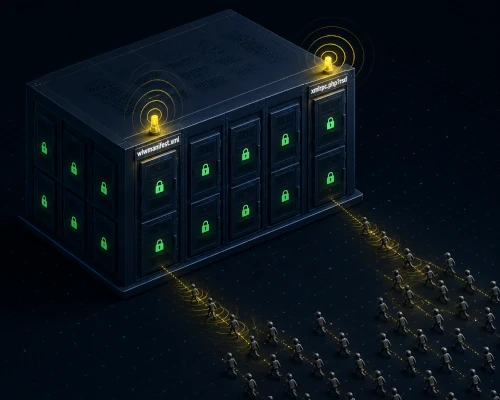
wlwmanifest.xml and RSD: the two beacons that tell bots “WordPress is here”.
 sysadmin
 You’ve blocked xmlrpc.php in nginx. Set up fail2ban. Configured Cloudflare WAF. Feeling good about yourself.
You open access.log a week later and see this:
94.102.49.190 - - [26/May/2026:04:17:33 +0300] "GET //wp-includes/wlwmanifest.xml HTTP/1.1" 404 162
94.102.49.191 - - [26/May/2026:04:17:34 +0300] "GET //xmlrpc.php?rsd HTTP/1.1" 404 162
94.102.49.192 - - [26/May/2026:04:17:35 +0300] "GET //blog/wp-includes/wlwmanifest.xml HTTP/1.1" 404 162
94.102.49.193 - - [26/May/2026:04:17:35 +0300] "GET //web/wp-includes/wlwmanifest.xml HTTP/1.1" 404 162
404 — the files weren’t found. Looks fine on the surface. But bots aren’t requesting these files to read them. They’re requesting them to answer one question: is this WordPress? If yes — the next request will be to xmlrpc.php or wp-login.php.
This is reconnaissance. And most administrators leave it wide open.
WHAT THESE ARE AND WHERE THEY CAME FROM
wlwmanifest.xml is an XML file from the Windows Live Writer era. Microsoft shipped this desktop blogging client in the mid-2000s; WordPress added support starting with version 2.3.1. The file described the site’s capabilities for the desktop client: supported image formats, how to publish posts, how to connect to xmlrpc.php.
Microsoft discontinued Windows Live Writer in 2017. WordPress removed wlwmanifest.xml from core in version 6.3.0 (August 2023) — the wlwmanifest_link() function is now deprecated and outputs nothing. But:
First, a large number of sites still run WordPress older than 6.3. Second, sites that upgraded from an older version without a clean reinstall may have the wlwmanifest.xml file physically sitting in /wp-includes/ even on WordPress 6.3+. Third, bots don’t check your WordPress version before scanning — they just knock on every known path.
Check whether the file exists on your server:
find /var/www -name "wlwmanifest.xml" 2>/dev/nullRSD (Really Simple Discovery) is an even older standard from 2002. It allowed external applications to automatically discover a blogging platform’s APIs. WordPress still adds a link to it in the <head> of every page via the rsd_link() function, which is not deprecated:
<link rel="EditURI" type="application/rsd+xml" title="RSD"
      href="https://example.com/xmlrpc.php?rsd" />
Notice the href value: xmlrpc.php?rsd. The RSD link literally points to xmlrpc.php. Any bot that reads the page HTML immediately knows where to find it.
WHY THIS IS A PROBLEM
Three levels of information disclosure:
Level 1: confirming it’s WordPress
type="application/wlwmanifest+xml" and the path /wp-includes/wlwmanifest.xml are a unique WordPress identifier. No other CMS uses this MIME type or this path. Bot scanners use it specifically to detect WordPress installations — without even reading the file itself, and regardless of whether it returns 200 or 404.
Level 2: direct pointer to xmlrpc.php
The RSD link in <head> literally contains the URL of xmlrpc.php. You can block xmlrpc.php in nginx — but if the RSD link is in the HTML, a scanner knows xmlrpc.php exists and will try it directly.
Level 3: the scanning pattern
A typical bot attack sequence against WordPress looks like this:
GET /wp-includes/wlwmanifest.xml  → 200 or 404? Is this WordPress?
GET /xmlrpc.php?rsd               → confirm xmlrpc.php exists
GET /xmlrpc.php                   → attack begins
POST /xmlrpc.php                  → brute force / pingback / DDoS
By blocking xmlrpc.php but leaving wlwmanifest.xml and RSD, you’ve stopped the attack itself but left the reconnaissance open. Bots take note and come back later — possibly from a different IP, possibly with a different vector (wp-login.php, REST API).
HOW TO CLOSE IT: TWO LEVELS
Level 1: nginx — block direct access
This works regardless of WordPress version and regardless of whether the file exists on disk. The request is blocked before reaching PHP.
Add to the server{} block of your nginx config:
# Block wlwmanifest.xml — works for all WordPress versions
location ~* /wp-includes/wlwmanifest\.xml {
    deny all;
    access_log off;
    log_not_found off;
}

# Block RSD endpoint
# If xmlrpc.php is already blocked via location = /xmlrpc.php { deny all; }
# then /xmlrpc.php?rsd is already covered — nginx exact match ignores query strings.
# A separate block is only needed if xmlrpc.php is blocked via a regex location ~*
location ~* /xmlrpc\.php {
    deny all;
    access_log off;
    log_not_found off;
}
Verify the block is working:
nginx -t && systemctl reload nginx

curl -I https://example.com/wp-includes/wlwmanifest.xml
# Expected response: HTTP/1.1 403 Forbidden

curl -I "https://example.com/xmlrpc.php?rsd"
# Expected response: HTTP/1.1 403 Forbidden
Level 2: WordPress — remove the RSD link from the HTML <head>
Blocking in nginx stops direct access to the endpoint, but the RSD link is still present in every page’s HTML. A bot reads the HTML and sees xmlrpc.php?rsd in the href. The link needs to be removed from the source too.
rsd_link() is a current function, not deprecated. Remove it via a mu-plugin:
# Create a mu-plugin — loads automatically, no activation needed
cat > /var/www/html/wp-content/mu-plugins/remove-legacy-links.php << 'EOF'
<?php
/**
 * Plugin Name: Remove Legacy Discovery Links
 * Description: Removes RSD link and WordPress version from <head>
 */

// RSD link (relevant for all WordPress versions)
remove_action('wp_head', 'rsd_link');

// WordPress version in <meta name="generator"> — exposes version for CVE lookups
remove_action('wp_head', 'wp_generator');

// wlwmanifest — only needed for WordPress older than 6.3
// On 6.3+ the function is deprecated and outputs nothing, so this line is harmless
remove_action('wp_head', 'wlwmanifest_link');
EOF
mu-plugins load automatically, require no activation, don’t appear in the regular plugin list, and can’t be accidentally deactivated.
Verify the result:
curl -s https://example.com/ | grep -E "wlwmanifest|EditURI|generator.*WordPress"
# Everything should be empty
CHECK YOUR WORDPRESS VERSION AND FILE PRESENCE
Understand exactly what you’re dealing with:
# WordPress version
cat /var/www/html/wp-includes/version.php | grep wp_version

# Check whether wlwmanifest.xml physically exists on disk
find /var/www -name "wlwmanifest.xml" 2>/dev/null

# Check whether the file is accessible over HTTP
curl -o /dev/null -w "%{http_code}" https://example.com/wp-includes/wlwmanifest.xml
If you’re on WordPress 6.3+ and find returns nothing — wlwmanifest.xml doesn’t exist. But the nginx block is still needed: bots knock on this path on every site they scan, and a 403 instead of 404 lets you ban them via fail2ban.
DIAGNOSTICS: HOW MUCH TRAFFIC IS COMING IN
Check scanner activity over the last 24 hours:
grep "wlwmanifest" /var/log/nginx/access.log | \
  awk '{print $1}' | sort | uniq -c | sort -rn | head -20
Look for the pattern — often the same IPs hit wlwmanifest, xmlrpc, and wp-login in sequence:
grep -E "wlwmanifest|xmlrpc|wp-login" /var/log/nginx/access.log | \
  awk '{print $1, $7}' | sort | head -40
Add wlwmanifest to the WordPress fail2ban filter:
# /etc/fail2ban/filter.d/nginx-wordpress.conf
[Definition]
failregex = ^<HOST> - - \[.*\] "(GET|POST) .*xmlrpc\.php.* HTTP/.*" (200|403|404) \d+
            ^<HOST> - - \[.*\] "GET .*wlwmanifest\.xml HTTP/.*" (200|403|404) \d+
ignoreregex =
COMMON MISTAKES
Mistake 1: “I’m on WordPress 6.3+ — wlwmanifest doesn’t affect me”
It does — in two ways. First: bots don’t check your WordPress version, they knock on /wp-includes/wlwmanifest.xml on every site. Without an nginx block they get a 404 and record that this is WordPress. Second: after upgrading from an older version, the file may physically remain on disk.
Mistake 2: “The file returns 404 — so everything is fine”
404 means the bot got a response from your server, recorded that it scanned this address, and concluded this is WordPress (because only WordPress installations get requests for exactly this path). 403 is better — you can ban whoever is asking.
Mistake 3: “I removed RSD through the parent theme’s functions.php”
Changes to the parent theme’s functions.php don’t survive theme updates. Use a mu-plugin or a child theme’s functions.php.
COMPLETE VERIFICATION CHECKLIST
# 1. wlwmanifest.xml is not directly accessible
curl -o /dev/null -w "%{http_code}" https://example.com/wp-includes/wlwmanifest.xml
# Expected: 403

# 2. RSD endpoint is blocked
curl -o /dev/null -w "%{http_code}" "https://example.com/xmlrpc.php?rsd"
# Expected: 403

# 3. RSD link is not present in HTML
curl -s https://example.com/ | grep -c "EditURI"
# Expected: 0

# 4. WordPress version not visible in HTML
curl -s https://example.com/ | grep "generator.*WordPress"
# Expected: empty output
CONCLUSION
wlwmanifest.xml and RSD are not vulnerabilities in the classical sense. They don’t give an attacker direct access. But they give information: WordPress is here, xmlrpc.php is here, here’s the exact URL.
In the context of automated attacks, information equals advantage. Bots work from signature lists. Remove these signatures and you drop out of the majority of automated scans.
Two actions, five minutes:
# nginx: block direct access
location ~* /wp-includes/wlwmanifest\.xml {
    deny all;
    access_log off;
    log_not_found off;
}

# WordPress mu-plugin: remove RSD and version from HTML
remove_action('wp_head', 'rsd_link');
remove_action('wp_head', 'wp_generator');
This is not a silver bullet. It’s closing unnecessary doors that serve no purpose for anyone.

If you enjoyed the article, you can support the author.