Someone else’s email in the password reset form — and your admin account is gone: CVE-2026-8206 in Kirki
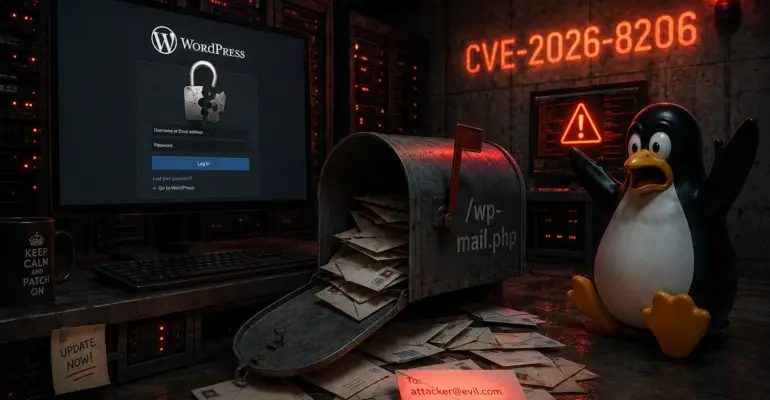
Someone else’s email in the password reset form — and your admin account is gone: CVE-2026-8206 in Kirki
 sysadmin
 WHAT HAPPENED
You install a WordPress theme. Great ratings, 500,000 active installs. Bundled with it comes Kirki — a framework for the WordPress Customizer that lets the theme offer polished color, font, and spacing controls. Kirki doesn’t ask for attention. It just works. You don’t think about it.
Meanwhile, an attacker already knows your admin’s username — not hard to find, since WordPress exposes it through author archives by default. They open the password reset form, enter that username, and substitute their own email address. The Customizer dutifully sends the reset link to them, not to you. Thirty seconds later, the attacker has a new password for the admin account. The site is theirs.
That’s CVE-2026-8206 — a vulnerability in Kirki Freeform Page Builder versions 6.0.0 through 6.0.6. CVSS 9.8 (Critical), CWE-269 — Improper Privilege Management. No authentication, no brute force, no exploit chain. One HTTP request with a substituted email address — and the admin account is taken. The vulnerability was discovered by researcher CHOIGYEONGMIN, who reported it to Wordfence on May 4, 2026.
HOW THE BUG WORKS
Kirki 6.x introduced its own account management layer — including a password reset form for sites using the page builder component. The form registers a REST API endpoint that accepts two parameters: username and email. The intended logic was straightforward: receive the username, look up the corresponding account, send a reset link to that account’s registered email address.
The problem is in the handle_forgot_password() function inside CompLibFormHandler.php. The function correctly accepts the username and finds the right account. But when it comes time to send the email, it uses the email address from the request body — the one the client supplied — rather than the email stored in the WordPress database. There is no validation that the two match. The developer assumed users would enter their own email address and simply never added the check.
From an attacker’s perspective, all it takes is knowing the target’s username. Then one HTTP request does the rest:
POST /wp-json/kirki/v1/forgot-password HTTP/1.1
Host: example.com
Content-Type: application/json

{"username": "admin", "email": "[email protected]"}
Kirki receives the request, correctly identifies the admin account by username — and sends the password reset link to [email protected] from the request body. WordPress generates a legitimate reset token tied to the admin account, and the email lands in the attacker’s inbox. They click the link, set a new password, and they’re in. The email comes from the real site — the actual admin sees no notification, nothing lands in their inbox.
Sites are vulnerable when Kirki’s frontend account management features are active — specifically the page builder and account form components. A site with Kirki installed but those components disabled is not exposed. The majority of Kirki deployments use it exactly the way that makes them vulnerable.
TIMELINE
CHOIGYEONGMIN reported the vulnerability through the Wordfence Bug Bounty Program on May 4, 2026 and received a $6,436 bounty. Wordfence validated the issue and immediately rolled out firewall rules for premium subscribers — May 9. Six days later, on May 15, the vendor Themeum was notified. The team moved fast: a patch was ready in three days, and Kirki 6.0.7 shipped on May 18, 2026.
Wordfence published the public advisory on June 1, 2026 — by which point the patch had been sitting in the repository for two weeks. Firewall rules for free Wordfence users were scheduled for June 8, which means sites without a premium subscription and without an updated Kirki were exposed in the window between June 1 and June 8. Within the first 24 hours after public disclosure, Wordfence blocked over 222 exploitation attempts — automated scanners picked up the target immediately.
WHY IT MATTERS
Kirki is not a niche plugin. It’s one of the most widely used WordPress theme frameworks, with over 500,000 active installations. The vulnerability affects the 6.0.x branch — roughly 40% of the plugin’s user base, around 200,000 sites. On top of that, Kirki frequently ships bundled with premium themes: the site owner buys a theme, activates it, and Kirki gets installed automatically as a dependency. Many administrators don’t even know Kirki is there — they only think about the theme.
That invisibility is what makes the vulnerability particularly dangerous. Administrators track updates for WordPress core and their primary plugins. But a bundled dependency — a plugin that arrived with the theme — often only gets updated when the theme itself releases an update. If the theme vendor doesn’t push an update, Kirki can stay vulnerable indefinitely.
Taking over an admin account is not just “bad.” The first thing an attacker does after logging in is plant a backdoor — something that preserves access even if the password gets changed later. It typically looks like a PHP file dropped into the theme or plugin folder, a few lines of obfuscated code with a filename that blends in with everything else. Finding it manually without a scanner is nearly impossible, especially in a theme with hundreds of files. The attacker can come back a week later, a month later — access will still be there. That’s why changing the password after a compromise isn’t enough: the entire filesystem and database need to be audited for unauthorized changes.
For online stores the consequences are more concrete. An attacker with admin access can swap in a third-party payment gateway that skims card data, or inject a JavaScript skimmer directly into the checkout page template. Customers see a normal site, enter their card details, and that data goes straight to the attacker’s server. On shared hosting with poor isolation, compromising one site can mean access to neighboring sites’ files as well.
There’s also the user enumeration angle. Exploiting this vulnerability requires knowing a valid username. WordPress exposes usernames by default through author archives (/?author=1), through the REST API (/wp-json/wp/v2/users), and through login error messages. If user enumeration isn’t locked down, an attacker gets the full username list in seconds — and CVE-2026-8206 runs against all of them.
WHAT TO DO
First, check whether Kirki is installed and which version is running. In the WordPress dashboard it’s visible under Plugins → Installed Plugins — look for “Kirki” or “Kirki Freeform Page Builder.” Via WP-CLI the check takes one command:
wp plugin get kirki --field=versionIf the version is anywhere from 6.0.0 to 6.0.6 — update immediately:
wp plugin update kirkiIf Kirki came bundled with a theme and doesn’t appear as a standalone plugin in the dashboard, check the plugins directory directly:
ls /var/www/html/wp-content/plugins/ | grep -i kirki
cat /var/www/html/wp-content/plugins/kirki/kirki.php | grep "Version:"
After updating, audit the administrator accounts. If the site ran a vulnerable version after June 1, check for new admin accounts or accounts with changed email addresses. WP-CLI lists all administrators with their IDs, logins, email addresses, and registration dates:
wp user list --role=administrator --fields=ID,user_login,user_email,user_registeredAny unfamiliar account or an account with a suspicious email address — delete it immediately. While you’re at it, check the web server access logs for POST requests to Kirki’s password reset endpoint. If you find entries, look at the IP addresses and timestamps: multiple requests from a single IP in a short window is an automated scanner; requests from many different IPs means the endpoint ended up in mass scanning tools. The date of the first hit tells you when to start counting potential compromise from:
grep "kirki.*forgot-password" /var/log/nginx/access.log
# or for Apache:
grep "kirki.*forgot-password" /var/log/apache2/access.log
An additional hardening measure — close user enumeration. It doesn’t fix CVE-2026-8206, but it removes one of the prerequisite steps. In nginx, a single location block returns 403 on any request with an author parameter:
location ~ ^/\?author= {
    return 403;
}
REST API user enumeration is handled through a mu-plugin filter that removes the /wp/v2/users endpoint from the REST API registry entirely:
add_filter('rest_endpoints', function($endpoints) {
    if (isset($endpoints['/wp/v2/users'])) {
        unset($endpoints['/wp/v2/users']);
    }
    if (isset($endpoints['/wp/v2/users/(?P<id>[\d]+)'])) {
        unset($endpoints['/wp/v2/users/(?P<id>[\d]+)']);
    }
    return $endpoints;
});
CONCLUSIONS
CVE-2026-8206 is a clean example of how WordPress site security is determined not just by the plugins you chose, but by whatever came along for the ride with your theme. Kirki doesn’t ask for anything, doesn’t do anything obviously dangerous — it just adds a password reset form with one unchecked parameter in the validation logic. One function, one missing check — CVSS 9.8.
Themeum fixed the bug three days after receiving the report. That’s a fast turnaround. The patch has been available since May 18; public disclosure was June 1 — two weeks of advance notice for anyone who updated in time. If you’re running WordPress with Kirki, check the version now.

If you enjoyed the article, you can support the author.